Android · open source
SSH Mobile
Your servers. Always at hand
A native SSH client for Android: interactive terminal, SFTP, keys, jump host and port forwarding. No ads, no analytics, no cloud — servers and credentials stay on the device.
Status / RuStore build 0.1.2 · 0.3.0 in review
- Android
- 10+
- Android
- languages
- RU · EN
- languages
- trackers
- 0
- trackers
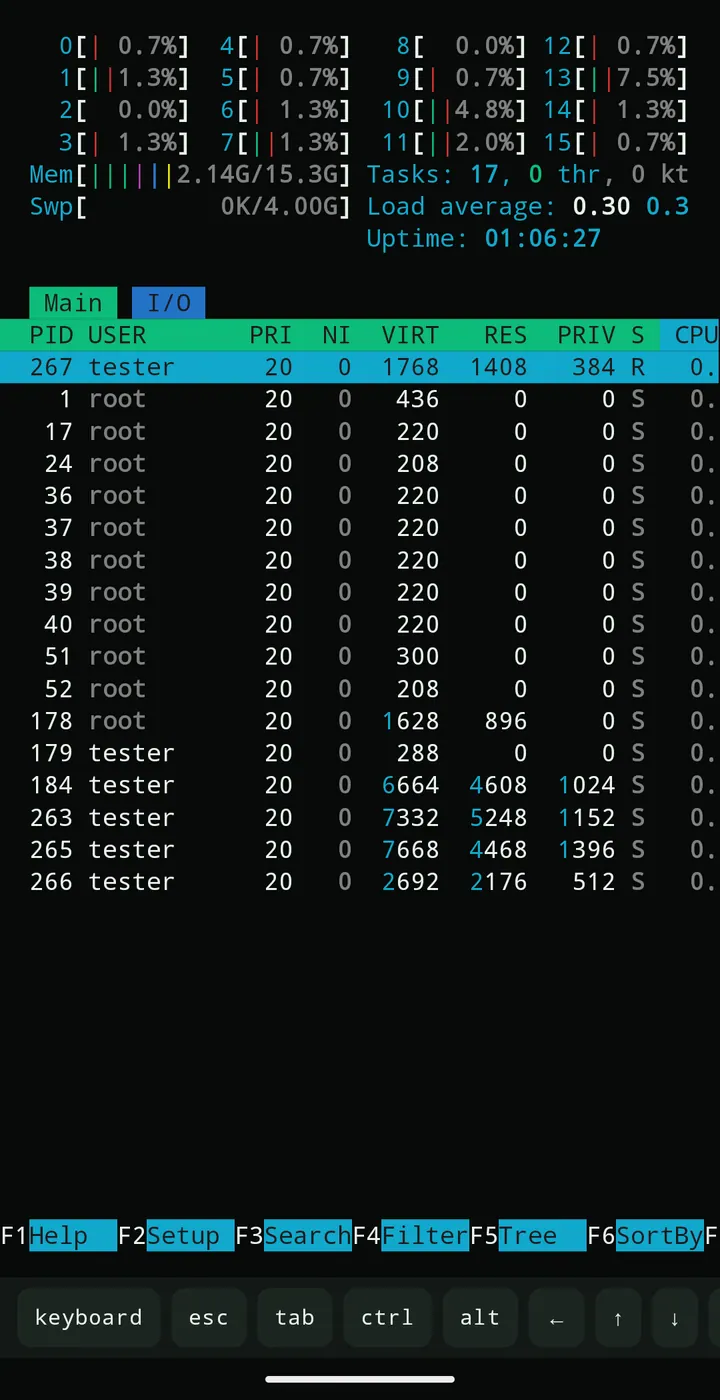
$ ssh deploy@prod-web-01
Welcome to Ubuntu 24.04 LTS
deploy@prod-web-01:~$ htop
deploy@prod-web-01:~$ vim nginx.conf
01 — Features
Everything you need for a server — without a laptop
Eight areas that cover everyday administration: from key-based login to editing configs and moving files.
- 01
Interactive terminal
VT100/xterm with bash, zsh, htop, vim, nano and less. On-screen Ctrl, Alt, Esc and Tab keys, arrow keys, copy and paste.
ssh · pty - 02
SFTP file manager
Browse directories, create folders, rename, delete and change permissions. Uploads and downloads go through the system file picker with progress and a transfer queue.
sftp · 0.3 - 03
Password and SSH keys
PEM and OpenSSH keys with passphrase, file import, password login. Keys and passwords are encrypted before they reach the app database.
auth - 04
Jump host
Connect through a saved gateway server. Both host keys are verified — the gateway and the target; nested chains are not supported.
proxyjump - 05
Port forwarding
Local and remote forwarding. Tunnels listen on 127.0.0.1 by default and are closed together with the SSH session.
forwarding - 06
Multiple sessions
Keep several connections open, switch between them and reconnect after a dropped link without losing the server list.
sessions - 07
Snippets and history
Frequent commands are one tap away. Input history is off by default, stored encrypted and never intercepts arrows in full-screen TUI apps.
local - 08
Credential protection
Android Keystore with AES-256-GCM, SHA-256 host key verification, a warning when a server key changes, and secret-free config export.
keystore
SFTP, ProxyJump, port forwarding and the extended terminal ship in 0.3.0 from the repository; the RuStore build is 0.1.2 as of the site build date.
02 — Screenshots
How it looks on a phone
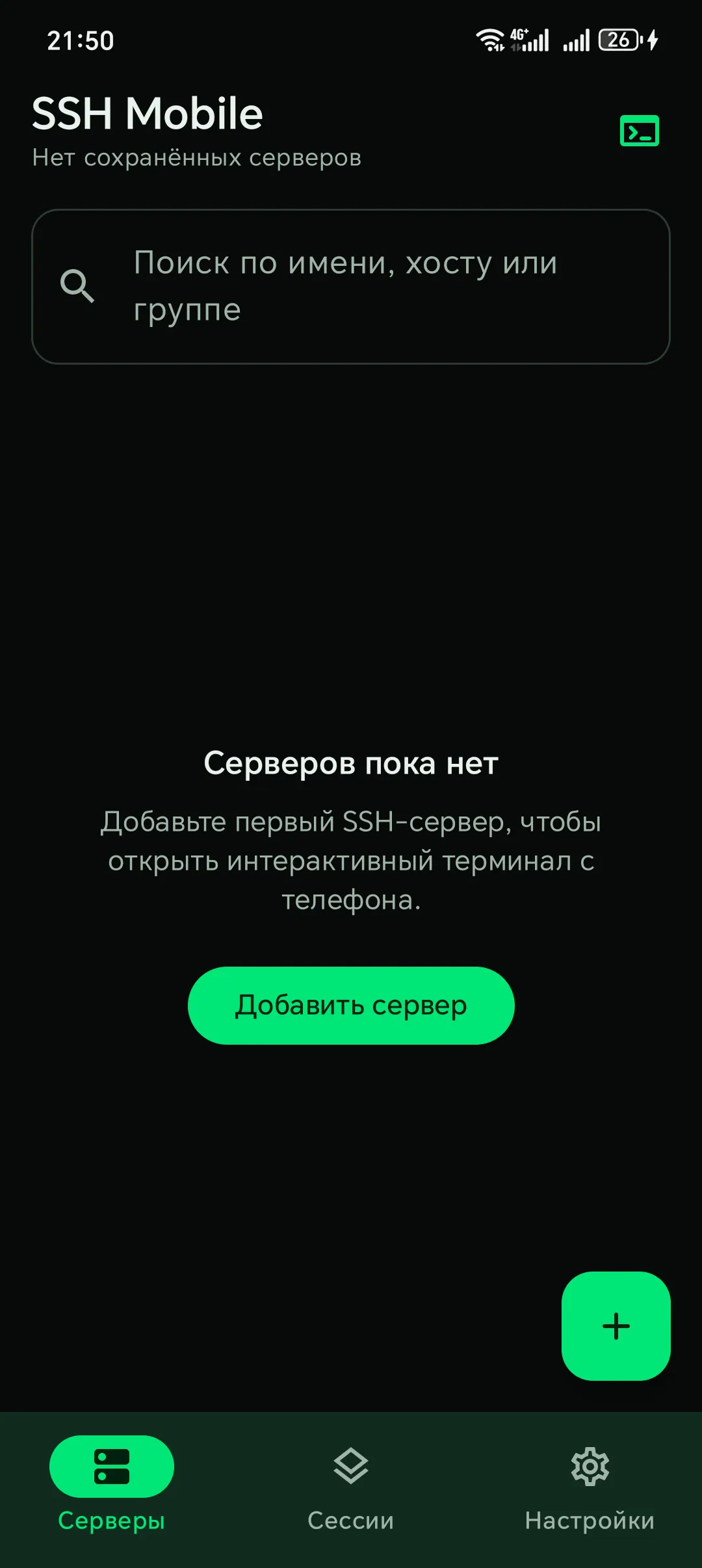
Real screenshots from the project repository. Click any shot to open it larger and browse the gallery.
Click a screenshot to enlarge
1 of 7
—
03 — Advantages
Built for Android, not for a browser
The app is written in Kotlin and Jetpack Compose. No WebView wrapper, no heavy SDKs, no background telemetry.
- language
- Kotlin 2.1
- ui
- Jetpack Compose
- ssh client
- SSHJ
- storage
- Room + Keystore
- minSdk
- 29 / Android 10+
- license
- Apache-2.0
-
01
Native Android
Kotlin, Jetpack Compose and the SSHJ transport. It behaves like a system app: dark theme, gestures, on-screen keys and predictable keyboard handling.
-
02
Russian and English
Two interface languages with instant switching, no restart. Every string, dialog and error message is localised.
-
03
Made for small screens
Ctrl/Alt/Esc/Tab row, monospace font choice, text size and four terminal colour schemes — tuned for one hand and a phone keyboard.
-
04
Local data only
No accounts, analytics, ad SDKs or cloud sync. Android backup is disabled and the data is removed together with the app.
- open source
Apache-2.0 · dev.sshmobile
github.com/mars485/ssh-mobile
04 — Security
Credentials never leave the device
The threat model and implementation details live in the project docs. Below is what you can verify in the code and on a device.
cipher  AES/GCM/NoPadding
key     AndroidKeyStore (non-exportable)
store   Room · secrets sealed
backup android:allowBackup="false"- key · non-exportable
Android Keystore
Passwords, private keys and passphrases are encrypted with a key created in Android hardware-backed storage and never exported. Decryption happens only for an active connection.
- aead
AES-256-GCM
Authenticated symmetric encryption: tampering is detected on decrypt. Secrets never reach logs and are excluded from backups.
- tofu · sha-256
Host key verification
The first connection shows the server SHA-256 fingerprint. A changed key requires explicit confirmation — including connections through a jump host.
- no secrets
Controlled export
Config export contains servers and settings but no passwords, private keys or passphrases. Import lets you save a server and fill credentials later.
What the app does not have
- analytics or crash reporting
- advertising and tracking SDKs
- cloud sync or accounts
- clipboard reads without a user action
05 — Getting started
Three steps to your first connection
All you need is a phone and access to any SSH server. There is no public demo account by design — spin up a local test server instead.
- 01
Install the app
Open the RuStore card and install the current version. Building from source requires Android Studio and JDK 17.
git clone https://github.com/mars485/ssh-mobile - 02
Add a server
Enter a display name, host, port and user. Pick password auth or paste a private key with an optional passphrase.
host: 192.0.2.10 port: 22 user: deploy - 03
Connect
Check the server SHA-256 fingerprint and accept it. From there it is a regular terminal: commands, htop, editors and SFTP transfers.
SHA256:9f2c…a71b accepted
Repository APKs are release builds. For testing, use your own sshd — see docs/TESTING.md.
Open RuStore06 — Changelog
What changed
The full history is maintained in the repository CHANGELOG.md.
-
0.3.0
8 November 2026 in RuStore review- SFTP: file manager, SAF uploads and downloads, transfer queue, permissions.
- Command snippets and encrypted local history, font choice and four colour schemes.
- Jump host, local and remote port forwarding.
- Config export and import without passwords or keys.
-
0.1.2
29 October 2026 on RuStore- Fixed a crash when opening the add-server screen after localisation.
- SSH key import through the system file picker works again.
- Verified on HONOR Android 14 and the Android 15 emulator.
-
0.1.1
29 October 2026- Russian localisation and language switching without a restart.
- The server form is no longer covered by the on-screen keyboard.
- RuStore assets, privacy policy and licenses.
-
0.1.0
29 October 2026- First MVP: server manager, password and SSH key auth, PTY terminal.
- Host key verification, Android Keystore, multiple sessions, reconnect.
- 40 automated tests; verified on Android 14 and 15.
07 — FAQ
Frequently asked
Missing an answer? Open an issue in the repository — it is the fastest support channel.
GitHub IssuesIs the app free?
Yes. SSH Mobile is free, with no ads, in-app purchases or subscriptions. The source code is open on GitHub under the Apache-2.0 license.
Do I need my own server?
Yes. The app connects to any SSH server: a VPS, a home server, a Raspberry Pi or a router. There is no public demo server — docs/TESTING.md explains how to run a local sshd for testing.
Which authentication methods are supported?
Password and private keys in PEM or OpenSSH format, optionally with a passphrase. Paste a key as text or import it from a file through the system file picker.
Is any data sent anywhere?
No. There is no analytics, crash reporting or tracking. Connections go only to servers you add yourself, and servers, keys and host key fingerprints stay on the device.
Are SFTP and port forwarding available?
Yes, in 0.3.0: an SFTP file manager with a transfer queue, jump host, and local plus remote port forwarding. At the time of writing, RuStore serves 0.1.2 while 0.3.0 is in review; you can build it from the repository.
What is the minimum Android version?
Android 10 or newer. The app has been verified on a HONOR device with Android 14 and on the Android 15 emulator.
Can I move my servers to a new phone?
Yes, through config export and import. Passwords, private keys and passphrases are not included — you will need to enter them again. There is no cloud sync.
Where do I report a bug or a vulnerability?
Bugs go to GitHub Issues. For vulnerabilities follow docs/SECURITY.md; never attach real passwords or private keys.